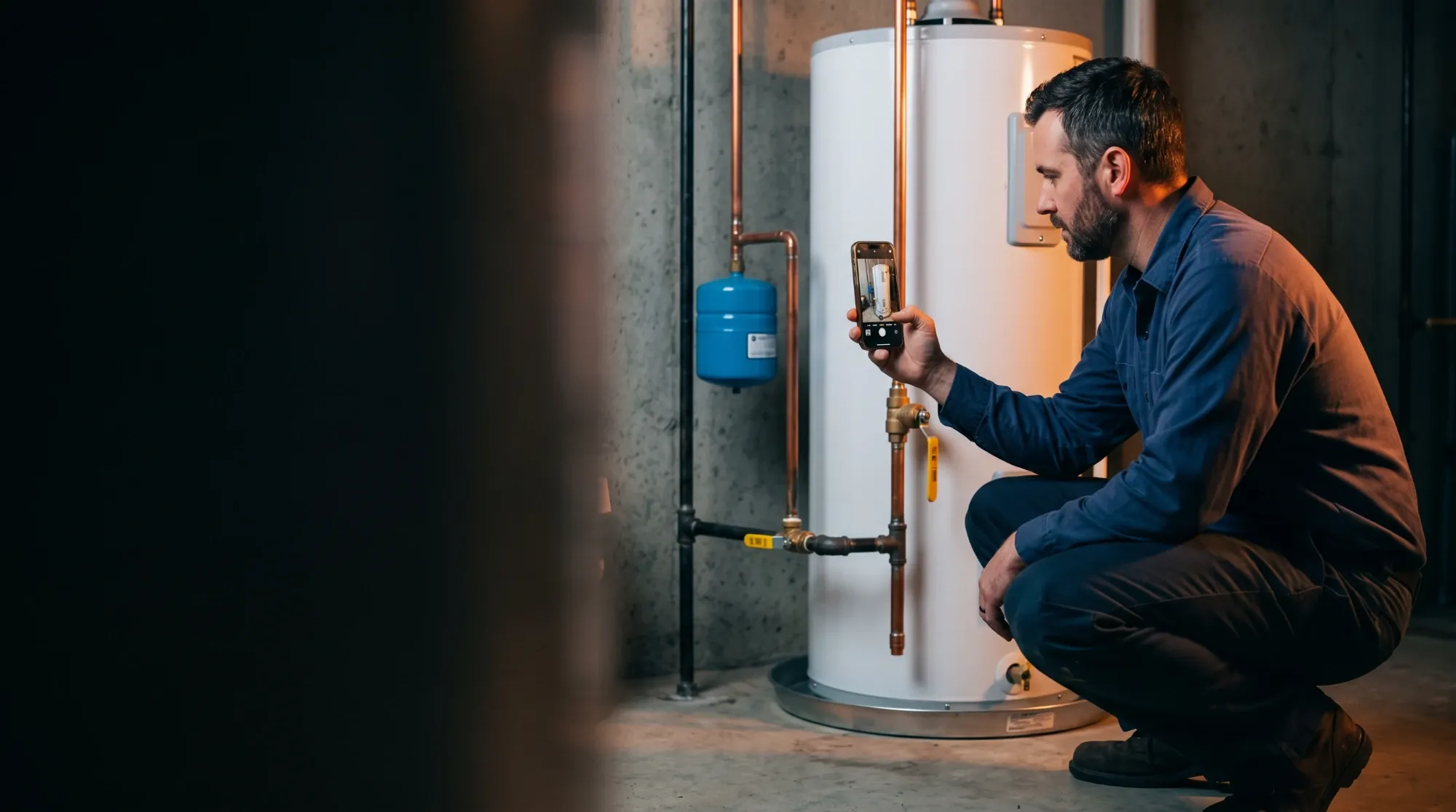

A plumber photographs a newly installed water heater with his phone
01 · Water heater code compliance · Coming soon

Snap it. Check it. Pass inspection.

Photograph the install and enter the job details. Our AI reviews both against code and tells you what to fix before the inspector ever shows up.

AI compliance reviewcoming soon
T&P discharge line
Expansion tank
Sediment trap not visible — add photo
Built forWater heatersStandby generatorsHVAC installs & replacementsMore trades coming

One co-pilot from first call to final inspection.

Every job runs the same flight path: capture the lead, price the work, get the paperwork right, and prove the install meets code.

01 · Capture

Leads send their own photos

A text or email link lets homeowners upload photos and video of the existing equipment. No site visit to start the quote.

02 · Price

Estimates that close

Size the equipment, apply your pricing, discounts and financing, and send a clean quote the customer can approve on their phone.

03 · Permit

Paperwork, handled

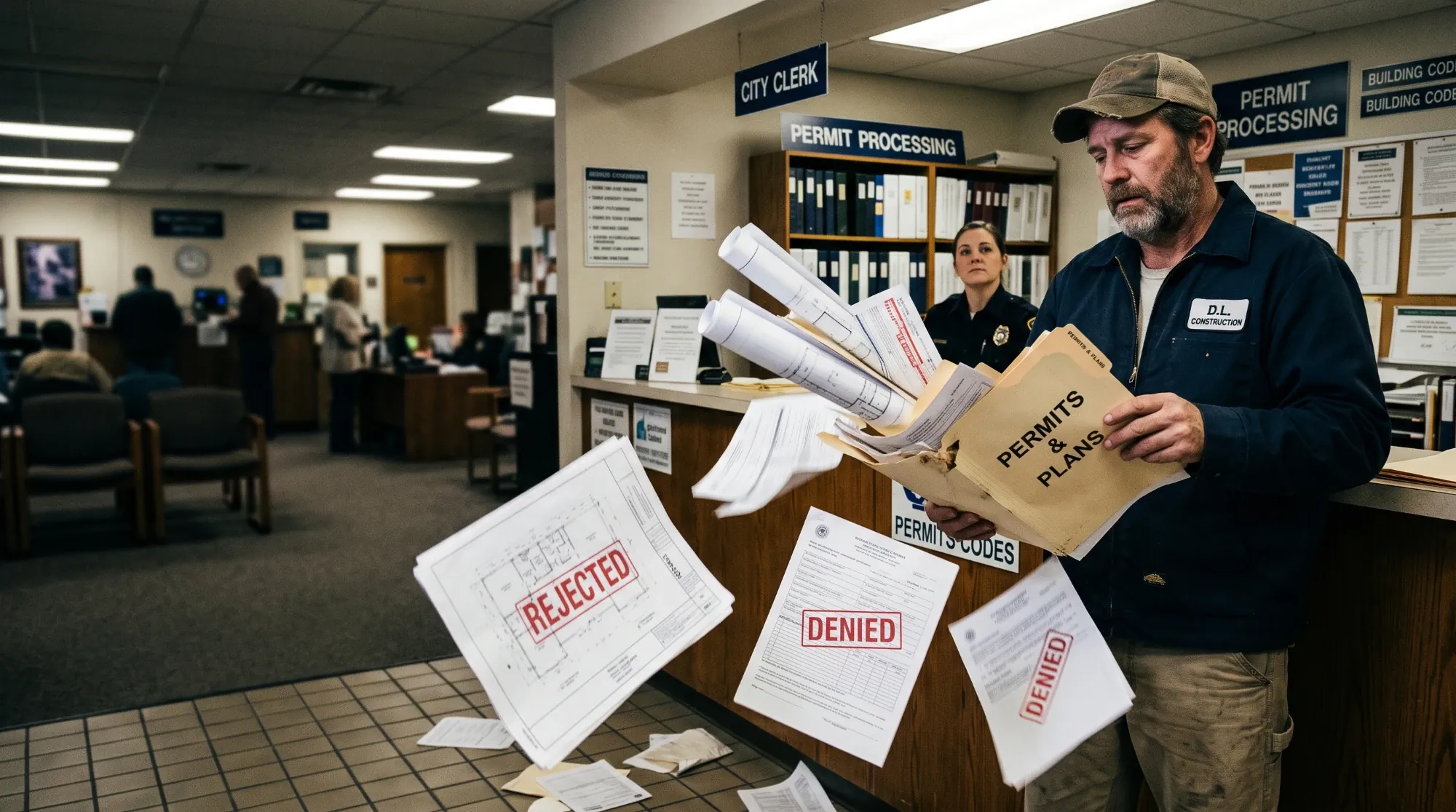
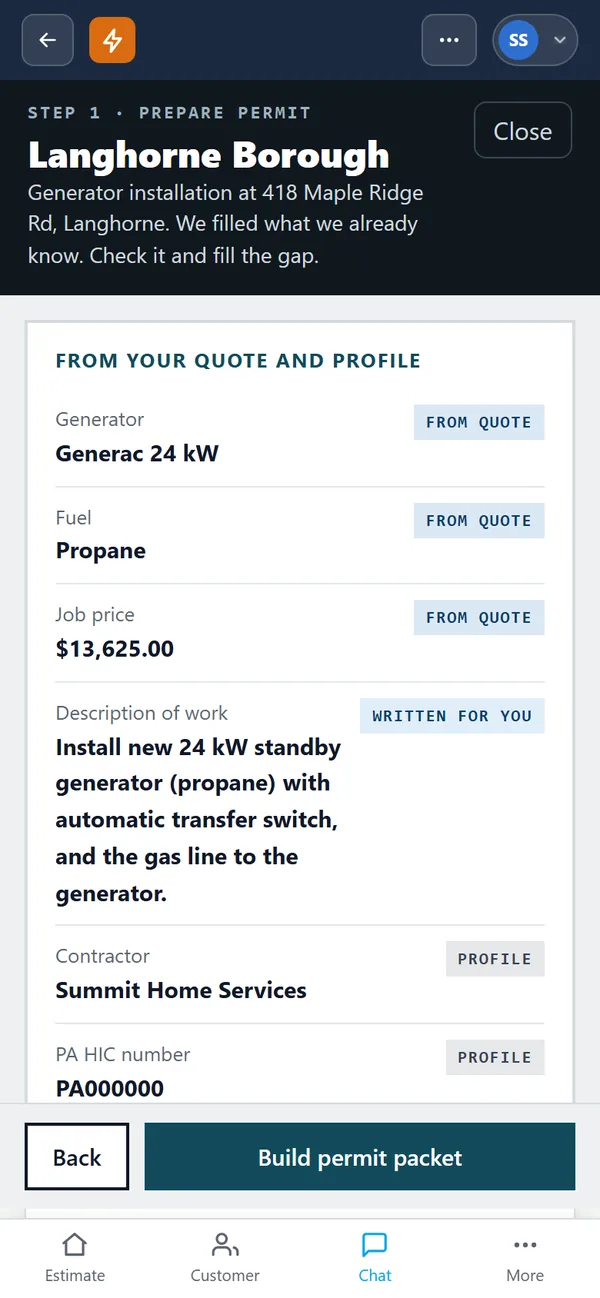
Permit packages and licensing support so applications go in complete the first time.

Code compliance app · Coming soon

A second set of eyes on every tank.

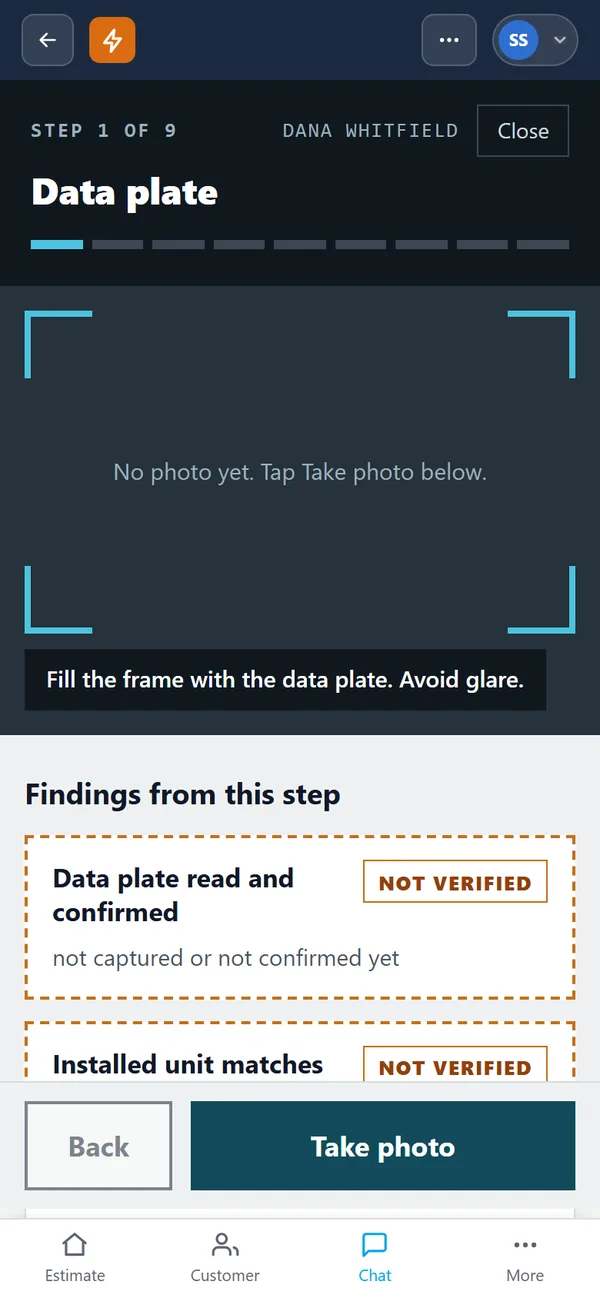
Walk the install, take the photos the app asks for, and fill in the job details. The AI judges the images and your inputs together and gives item-by-item feedback, so callbacks and failed inspections get caught in the basement, not at the counter.

Ask about early access
Install reviewJob 1042 · sample
T&P discharge linePass
Expansion tankPass
Venting clearancePass
Sediment trapNeeds photo
Permit packetsample
Town application, filled inReady
Equipment & specsReady
Contractor & licenseReady
Owner signatureWaiting
Permits & licensing

Complete packets, the first time.

Enter the job once. TradesPilot fills in the town's own permit forms with the customer, equipment and contractor details, tells you what's still missing, and keeps every permit's status in one place, from submitted to approved.

Your licenses and insurance live with your company profile, so they're on every application without retyping.

See pricing
Inside TradesPilot

Your whole job, in your pocket.

TradesPilot runs in the browser on any phone, tablet or computer. Add it to your home screen and it works like an app, for the whole crew.

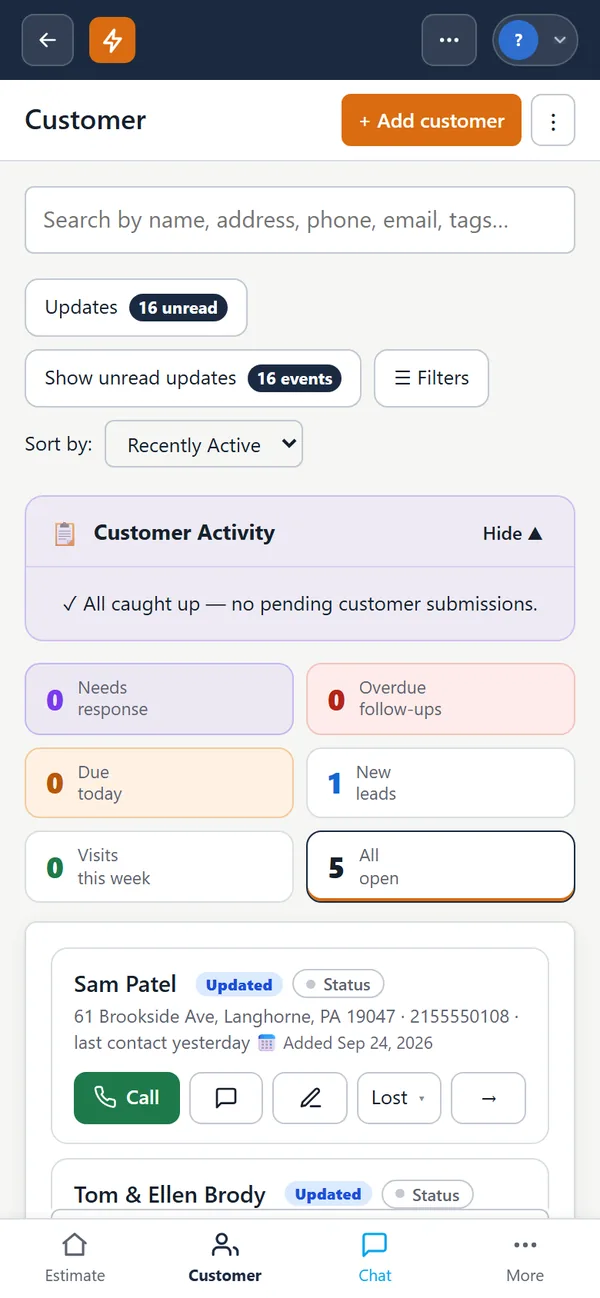
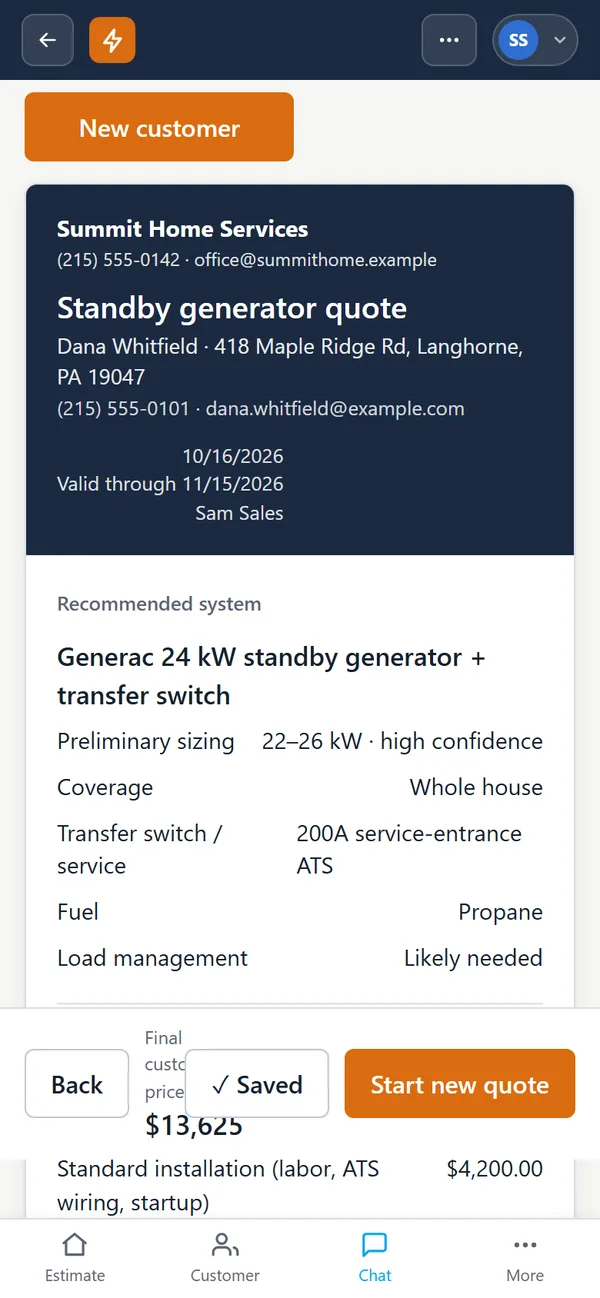
The customer dashboard: leads needing a response, follow-ups due and open quotes (sample data) A standby generator quote with the recommended system (sample data) Preparing a permit: details filled in from the quote and company profile (sample data) A water heater compliance check, coming soon, step 1 of 9: photograph the data plate (sample data)
Screens from the app · sample data
Estimates & sales funnel

The funnel your office wishes it had.

Link sentText or email goes out the moment the lead comes in.
Photos uploadedThe customer shows you the panel, the tank, the pad.
Quote builtSizing, pricing, discounts and financing in one estimate.
Job wonApproved on their phone, scheduled on yours.
Pricing

One price that grows with your crew

Quotes, scheduling, texting, permits and a phone app for every technician. Pay for the people who use it, nothing hidden.

What would we pay?

Owners, managers, office, dispatchers
Everyone in the field with the phone app

Setup covers bringing in your customers, setting up your job types and prices, and training your office.

Start with your crew

Prices in US dollars. Billed by Stripe. Cancel any time from Settings; you keep access until the end of the period you paid for.

Questions

Straight answers.

Who is TradesPilot for?

Contractors who install water heaters, standby generators and HVAC equipment, from one-truck shops to teams with a sales staff and an office. More trades are on the way.

How does my team sign in?

Everyone signs in with their own email: with Google, or with a sign-in link we email them, so any address works. The owner adds team members in Settings.

Who counts as a technician?

Anyone who works in the field and uses the phone app for their day. Office, dispatch, managers and owners are office users.

Can we add people later?

Yes. Add or remove people any time; your bill follows on the next month.

Do my customers need to download anything?

No. Customers get a text or email link that opens in their phone's browser, where they answer a few questions and upload photos. They never see inside your TradesPilot account.

Which towns do permits cover?

We're starting with towns in southeastern Pennsylvania and adding towns as contractors need them. Tell us where you work before you sign up and we'll let you know what's ready.

Is the AI compliance check an inspection?

The AI code check is coming soon and isn't for sale yet. When it arrives, it won't be an inspection. It's a second set of eyes that flags likely problems from your photos and job details before the inspector comes. It doesn't replace the inspector or your license, and the installer remains responsible for meeting code.

What is the setup fee for?

A one-time fee based on the size of your team. It covers bringing in your customers, setting up your job types and prices, and training your office.

Is there a contract?

Monthly plans have no long contract. Yearly plans are paid up front with two months free.

What about texting costs?

Texts per person each month are included and shared across your team, with a small charge per text past that.

Can I cancel?

Yes, any time, from Settings → Billing. You keep access until the end of the period you've paid for.

Is my company's data private?

Yes. Each company's customers, jobs, photos and permits are kept separate from every other company on TradesPilot, and only the people you add to your team can see them.

Quote faster. Permit cleaner. Pass the first time.

Bring your next water heater, generator or HVAC job and we’ll show you the whole flight path.